OpenSCAD Libraries: BOSL2, MCAD and More
OpenSCAD's built-in shapes are enough for many designs, but optional libraries can save you from writing your own gears, rounded profiles, fasteners, and curves. This guide compares useful libraries and shows what they make. Some are built into our OpenSCAD Playground; others require you to import their files.
Which library should I choose?
| Library | Best for and tradeoffs |
|---|---|
| BOSL2 | General-purpose rounded shapes, positioning, gears, and screws. Broad API to learn; some features need separate files. |
| MCAD | Mechanical parts and existing models using its gears, motors, bearings, or fasteners. Older, less uniform API. |
| NopSCADlib | Assemblies with modeled hardware, electronics, printed parts, and bills of materials. A larger workflow; its automation does not run in the playground. |
| dotSCAD | Curves, paths, sweeps, mathematical geometry, and patterns. Many small files and dependencies. |
| Round-Anything | A custom 2D outline with a different corner radius at each point. Focused on rounding rather than a complete parts library. |
| threads.scad | A small library for threaded rods, holes, bolts, and nuts. Fit depends on the printer and material. |
| threadlib | Threads selected by standard designations such as M4. Requires additional libraries. |
Where to start: Choose BOSL2 for a new general-purpose project. Use MCAD when a design already calls for it. Add a specialized library when its approach matches the problem, rather than adding everything at once. The pictures below show the actual output of each example.
For reproducible projects, note the library version or commit, and check each library's license before distributing files or models.
include or use?
use <file.scad> makes modules and functions available without running the file's top-level geometry or importing its variables. include <file.scad> also brings in top-level statements and variables, so it can draw extra geometry or change values. Libraries differ: follow their instructions, especially when they provide named constants or configuration variables. BOSL2's recommended starting point uses include <BOSL2/std.scad>.
BOSL2: a rounded block
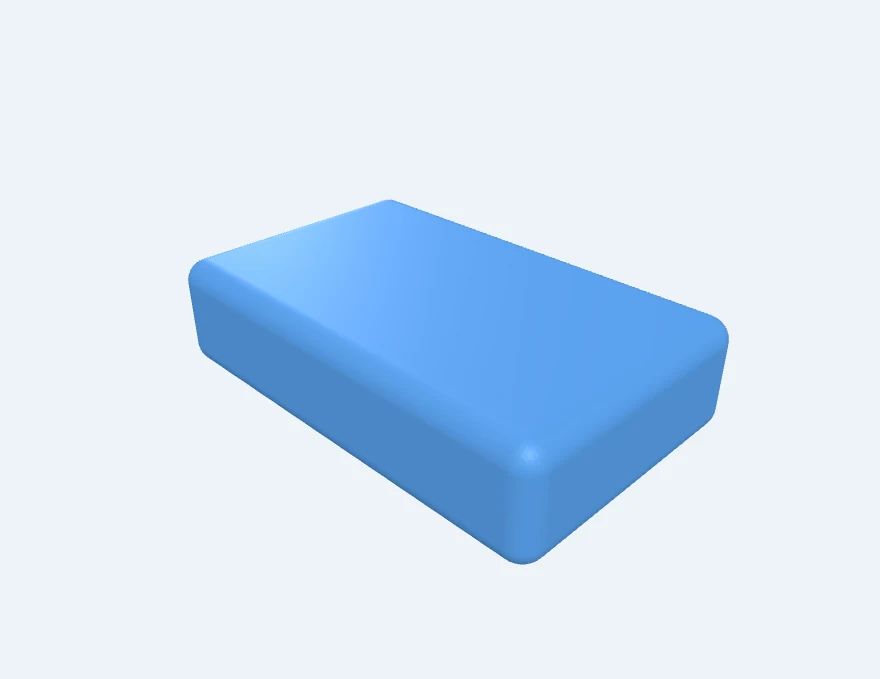
In the playground, open Files and enable BOSL2, then paste:
include <BOSL2/std.scad>

cuboid([40, 25, 10], rounding=2, $fn=48);
Open this model in the playground
This makes a rounded 40 × 25 × 10 block. BOSL2 has its own positioning and attachment conventions, so check the cuboid reference before positioning it in an assembly. Its std.scad does not include every specialized file: for gears, for example, see our BOSL2 gear-pair lesson.
MCAD: a gear
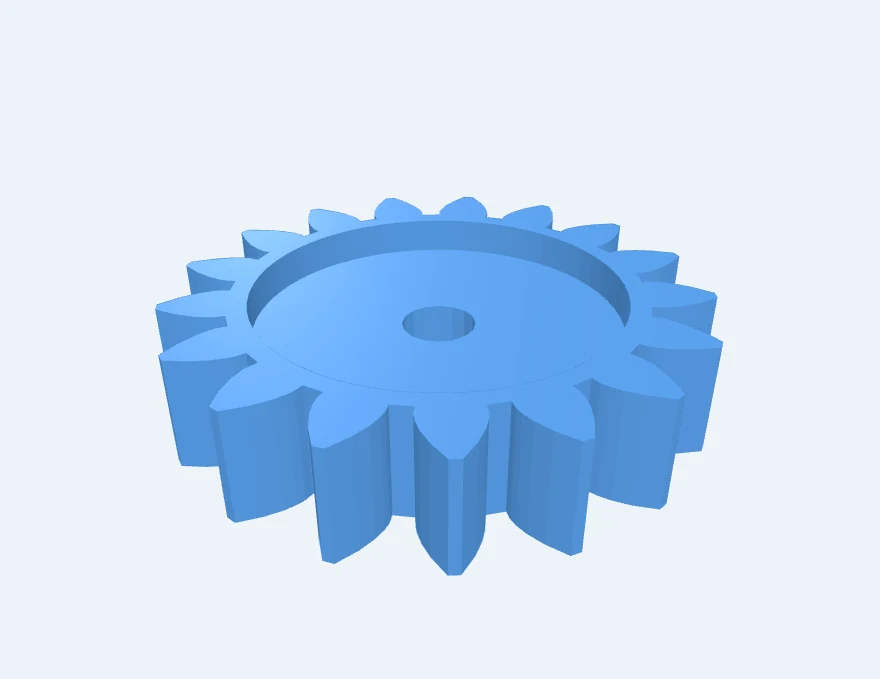
MCAD loads automatically in the playground:
use <MCAD/involute_gears.scad>

gear(number_of_teeth=17, circular_pitch=6, bore_diameter=5);
Open this model in the playground
This creates one gear with a central bore. For a working pair, match the relevant tooth parameters and center distance; don't assume any two gear shapes will mesh. Check involute_gears.scad in the MCAD repository for the available parameters.
dotSCAD: a raised path
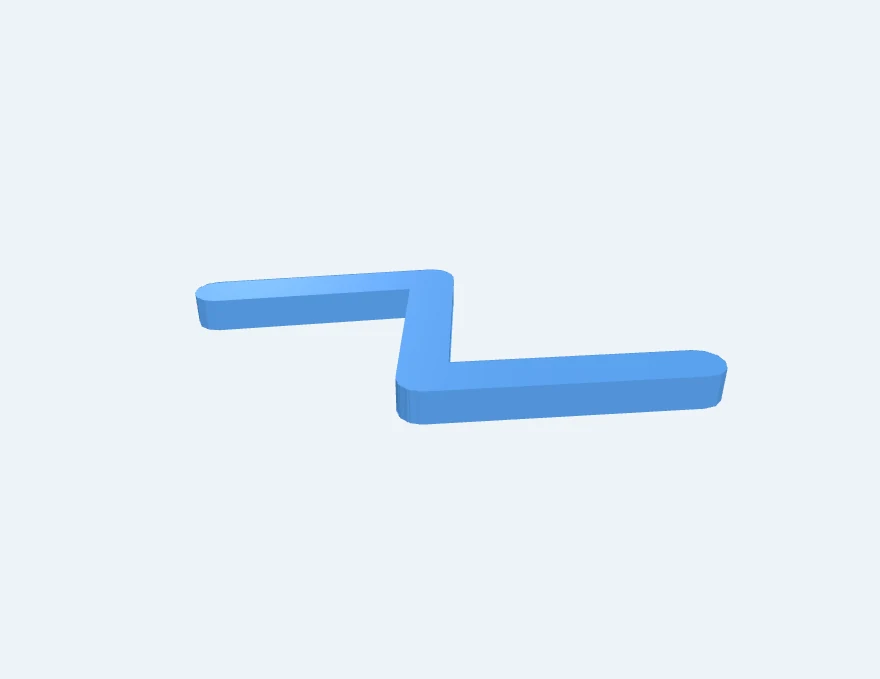
dotSCAD is not bundled. To run this in the playground, import the required files as described in Using libraries in our browser playground:
use <dotSCAD/src/line2d.scad>

points = [[0, 0], [12, 16], [24, 3], [38, 20]];
linear_extrude(height=3)
  for (i = [0 : len(points) - 2])
    line2d(p1=points[i], p2=points[i+1], width=4,
           p1Style="CAP_ROUND", p2Style="CAP_ROUND");
This joins three rounded line segments and extrudes them into a solid. line2d.scad uses helper files in src/__comm__; importing only that one file is not enough.
Round-Anything: a custom rounded outline
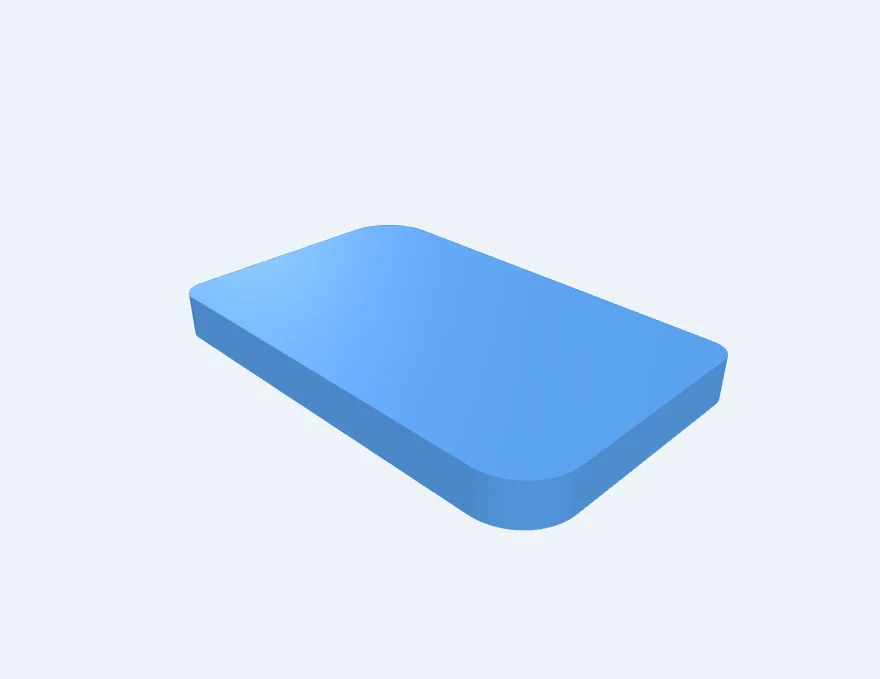
Round-Anything is not bundled. Import polyround.scad into the playground project as Round-Anything/polyround.scad:
use <Round-Anything/polyround.scad>

points = [[0, 0, 2], [40, 0, 5], [40, 25, 2], [0, 25, 5]];
linear_extrude(height=4)
  polygon(polyRound(points, 32));
Each point is [x, y, radius]. This rounds the outline; the top and bottom perimeter edges remain sharp. Keep radii small enough for adjacent edges. For a simple uniformly rounded rectangle, native OpenSCAD may be enough: see rounded corners without a library.
threads.scad: a threaded rod
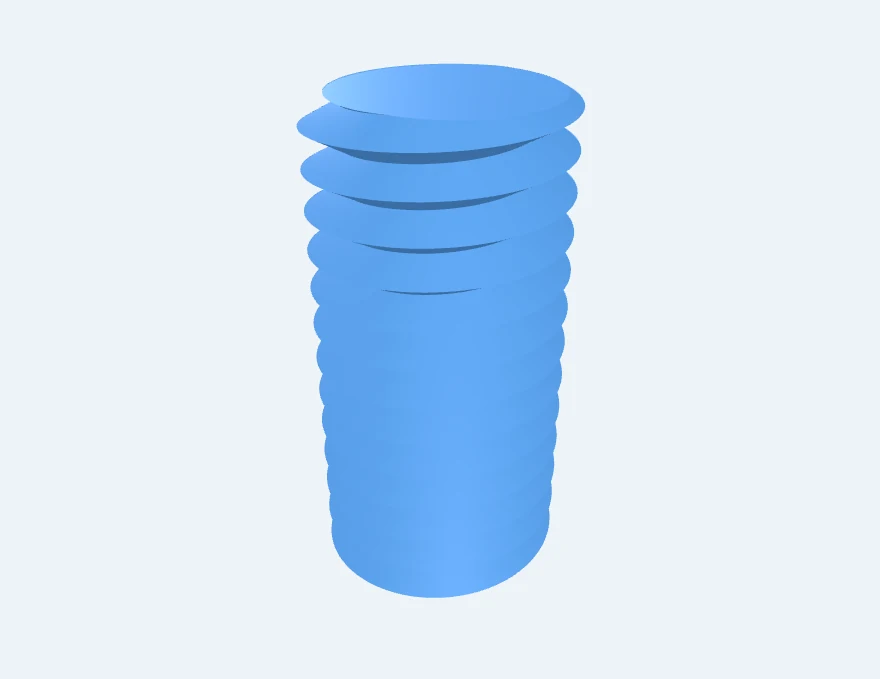
threads.scad is not bundled. Import its source into the playground project as threads-scad/threads.scad:
use <threads-scad/threads.scad>

ScrewThread(outer_diam=8, height=16, pitch=1.25);
This generates an illustrative external thread. For a matching hole, see ScrewHole and its tolerance options in the library's documentation. Print a small test pair and adjust clearance for your printer, orientation, and material before relying on the fit.
threadlib: a standard metric bolt
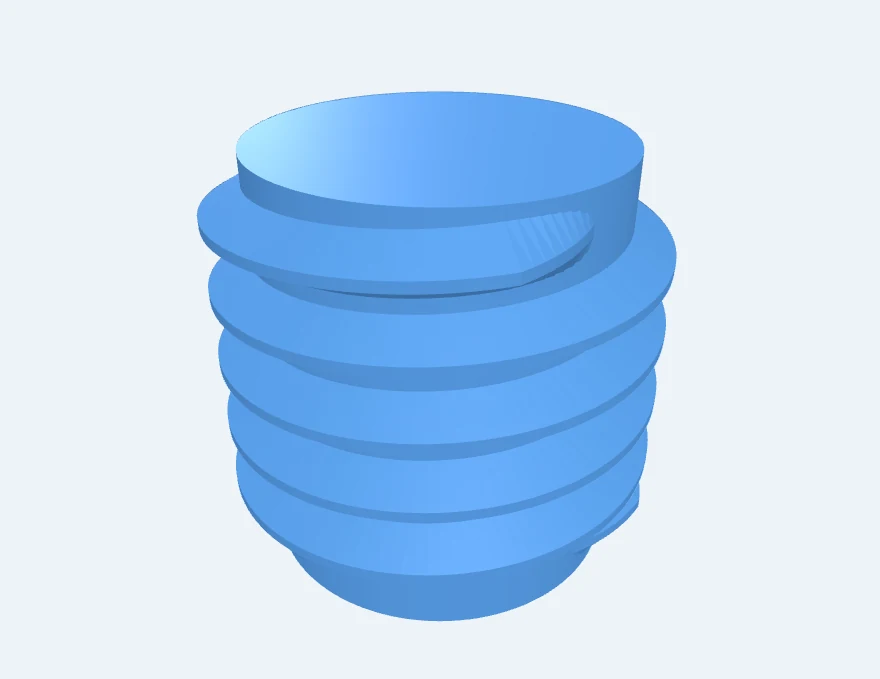
threadlib is not bundled; it requires scad-utils, list-comprehension-demos, and thread_profile.scad. Import its source and dependencies into the playground project with their expected paths. This makes an M8 threaded shank with a tapered lead-in:
use <threadlib/threadlib.scad>

bolt("M8", turns=5, higbee_arc=30);
bolt() creates the threaded shank, not a bolt head. Use the library's nut() or tap() when you need a matching internal thread, and print a fit test. Unlike the preceding threads.scad example, this uses a thread designation instead of supplying diameter and pitch separately.
NopSCADlib: a modeled fastener
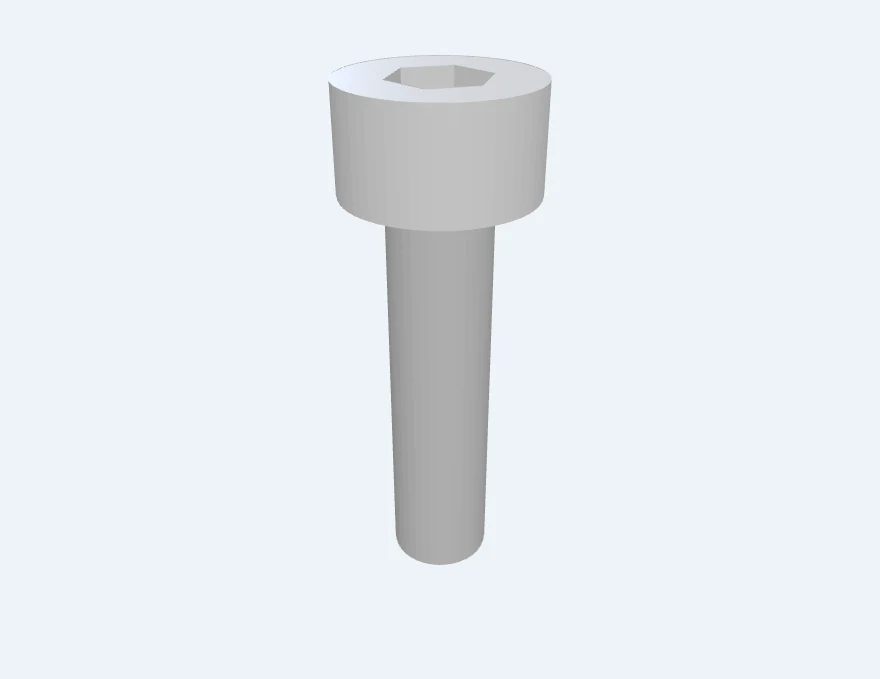
NopSCADlib is not bundled. Import the files and dependencies needed by core.scad into the playground project. Its core includes common screw definitions:
include <NopSCADlib/core.scad>

screw(M3_cap_screw, 12);
This represents a 12 mm M3 cap screw for an assembly. NopSCADlib's catalog also includes fans, motors, circuit boards, and printable parts. Its automated bills of materials and assembly documentation use external scripts that the playground cannot run; see the library catalog for its parts.
Using libraries in our browser playground
| Library | Playground availability |
|---|---|
| MCAD | Bundled; references beginning with MCAD/ load it automatically. |
| BOSL2 | Bundled; enable it in Files. The pinned version may differ from the latest upstream release. |
| Other libraries | Not bundled. Import the needed files and dependencies into the project; compatibility depends on the library. |
For an unbundled library, extract its download first, then use Files → Import files / ZIP to add the required source and assets. File selection flattens folder names: rename files in Files to restore paths such as dotSCAD/src/line2d.scad and the helper paths it uses. If you import multiple files, select your main file and choose Use as entry file. Only ZIPs exported by this playground can be imported directly; ordinary library ZIP downloads do not contain the required project manifest. Projects are limited to 200 files and 25 MB, and external scripts cannot run here. Some larger library workflows may not fit or work in the playground.
Troubleshooting
- Can't open library/include file: Check spelling, capitalization, and project file paths. Imported files must match the paths referenced by the source.
- Unknown module or function: Fix any missing-file warnings first. Then check the function name and library version.
usedoes not import constants; a library may requireinclude. - Nothing appears: A library often only defines modules: you must call one. Also check whether the result is 2D and whether the right file is the entry point.
- Unexpected extra shape or conflicting values: An included file may execute top-level statements; consult its instructions and consider
usewhere appropriate. - Slow render or poor fit: Reduce resolution while designing, then render the final model. Print a test piece; generated geometry is not proof of fit or strength.
For more options, see the official OpenSCAD libraries index. To open an existing multi-file model, see how to open a .scad file.