Mermaid Sequence Diagram Notes: left of, right of, and over
Write Note right of API: text or Note left of API: text to put a note beside one participant, and Note over Client,API: text to stretch a note across two participants. Use <br/> inside the note text for a second line.
Add a note beside one participant
Put the note on the line after the message it explains. Notes take their own row in the timeline, so this one is drawn just below the POST /orders arrow:
sequenceDiagram
  participant Client
  participant API
  participant Database
  Client->>API: POST /orders
  Note right of API: Checks the token<br/>and the cart total
  API->>Database: INSERT order
  Database-->>API: order_id = 1042
  API-->>Client: 201 Created
  Note left of Client: Saves order 1042<br/>for the receipt page
Edit this order diagram in the Mermaid playground
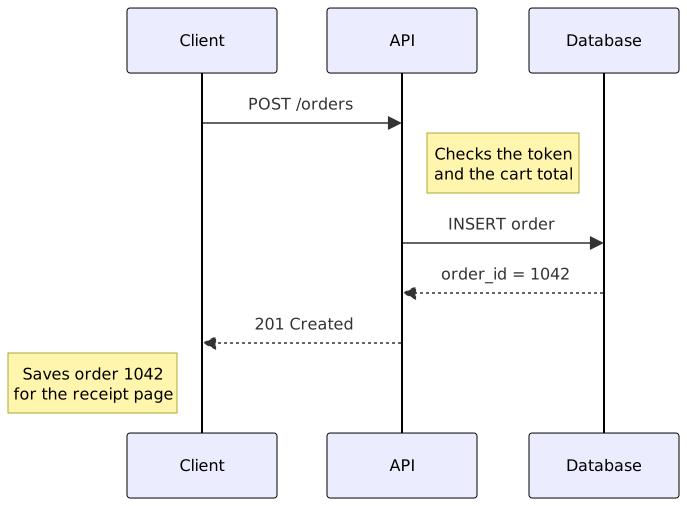
right of and left of only choose the side of the participant's lifeline. Each <br/> starts a new line inside the same note box. A typed \n does not: Mermaid 10.9 prints the backslash and the n as text.
Stretch a note across two participants
List two participants after over, separated by a comma. With one participant, over centers the note on that lifeline:
sequenceDiagram
  participant Client
  participant API
  participant Database
  Note over Client,API: Session already authenticated
  Client->>API: DELETE /orders/1042
  API->>Database: BEGIN
  Note over API,Database: One transaction:<br/>refund and delete together
  API->>Database: INSERT refund
  API->>Database: DELETE order 1042
  API->>Database: COMMIT
  API-->>Client: 204 No Content
  Note over Database: Refund row kept for audits
Edit this transaction diagram in the Mermaid playground
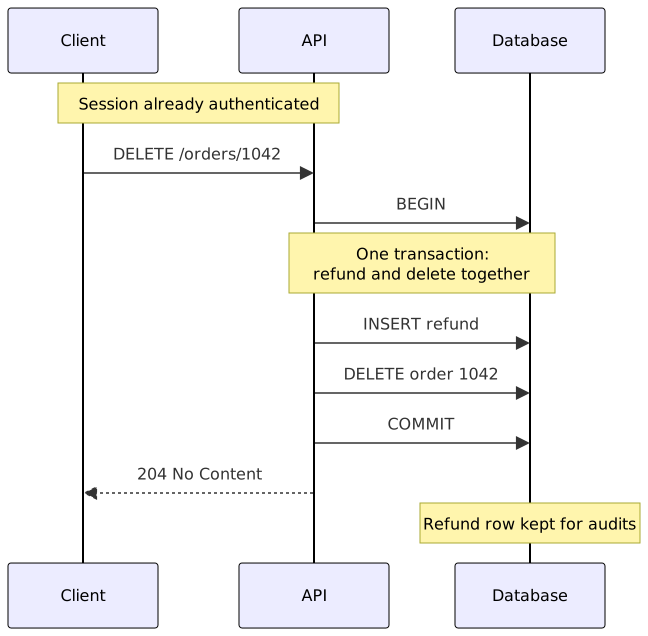
Note over accepts at most two participants. The box covers both lifelines and every participant drawn between them, so Note over Client,Database would also cover API.
Notes are not messages
A note has no arrow and no sender or receiver. Mermaid treats everything after the colon as plain text, so Note over Client,API: Client->>API: retry draws that text in a box and adds no message. Use an arrow such as Client->>API: retry when something is actually sent, and a note when you are explaining a step, a state, or a rule.
Errors and surprises
These were checked with Mermaid 10.9, the version the playground uses:
Note above API: textis a parse error. Onlyleft of,right ofandoverexist, so writeNote over API: text.Note over Client,API,Database: textis a parse error at the second comma. Name only the two outer participants:Note over Client,Database: text.Note right of Api: text, when the participant isAPI, gives no error. Mermaid adds a newApiparticipant instead, so copy the participant name exactly.Note right of API: cache hit; skip DBis a parse error, because;ends the statement. Write the semicolon as#59;:cache hit#59; skip DB.Note right of APIwith no colon is a parse error. The note text is required.
For the basic participant and arrow syntax, see how to create a Mermaid sequence diagram. To show success, failure and retry paths, see sequence diagram branches with alt, opt and loop. The Mermaid cheatsheet has a compact syntax reference.
Reference: Mermaid sequence diagram notes.