Cheatsheet: MermaidJS

Flowchart

Direction - top down
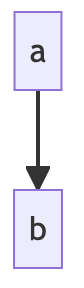
flowchart TD
  A-->B
Direction - top down

Direction - left to right
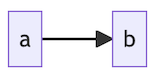
flowchart LR
Direction - left to right

Shape: round rect
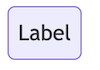
id(Label)
Shape: round rect

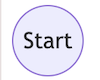
Shape: circle

id((Start))
Shape: circle

Shape: cylinder/database
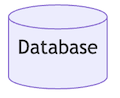
id[(Database)]
Shape: cylinder/database

Shape: rhombus
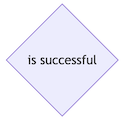
id{is successful}
Shape: rhombus

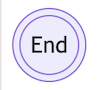
Shape: double circle

id(((End)))
Shape: double circle

Edges: with arrow head

flowchart LR
  A-->B

Edges: without arrow

flowchart LR
  A --- B

Edges: with text

flowchart LR
  A---|This is the text|B

Subgraphs/clusters

flowchart TD
subgraph Cluster1 [Cluster 1]
  direction TB
  A[Start] --> B[Step 1] --> C[Step 2]
end
subgraph Cluster2 [Cluster 2]
  D[Step 3] --> E[Step 4] --> F[End]
end
C --> D

Style node

style id1 fill:#ff5733,stroke:#111,stroke-width:2px

Assign class to node

class nodeId3,nodeId4 newClass;

Assign class to node inline

C:::anotherClass --> D

Theme and init

Set theme and options inline

%%{init: {'theme':'base','themeVariables':{'primaryColor':'#e6f2ff'}}}%%
flowchart LR
  A-->B

Security level for interactive links

%%{init: {'securityLevel':'loose'}}%%
flowchart LR
  A[Docs] --> B[Open]
  click A "https://mermaid.js.org" "Open Mermaid docs"

Sequence diagram

Line types

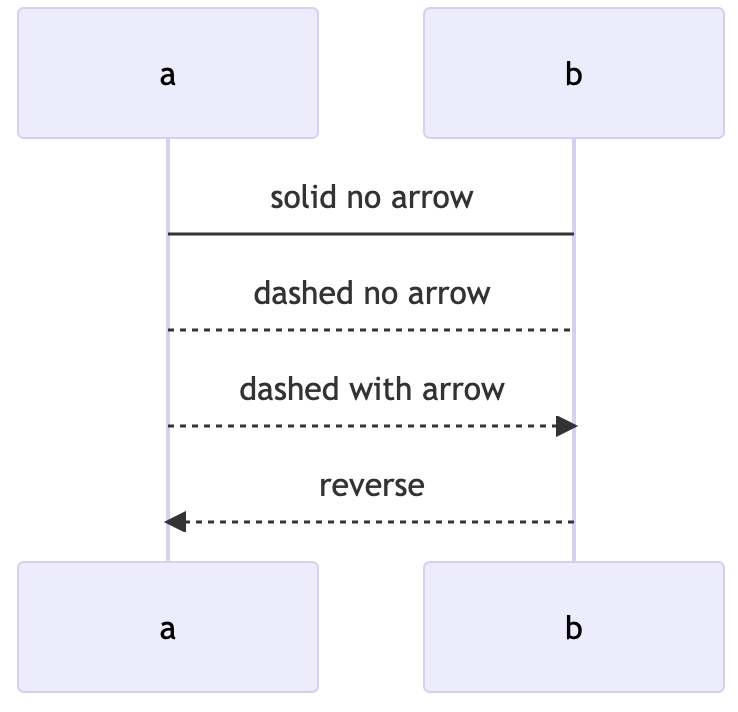
sequenceDiagram
  a->b: solid no arrow
  a-->b: dashed no arrow
  a-->>b: dashed with arrow
  b<--a: reverse
  b<-->a: two-way
Line types

Activate/deactivate

sequenceDiagram
  activate Alice
  Alice->Bob: Hello Bob
  deactivate Alice

Activate/deactivate inline

sequenceDiagram
  Alice->+Bob: Hello Bob
  Bob->-Alice: Hi Alice

Participants

sequenceDiagram
  participant A as Alice
  participant B as Bob

Parallel blocks

sequenceDiagram
  A->>B: Request
  par
    B-->>A: Fast path
  and
    A->>C: Side call
    C-->>A: Done
  end

Class diagram

Define class with fields and methods

classDiagram
class Person {
  +String name
  +int age
  +speak()
}

ER diagram

Basic ER relationship

erDiagram
  USER ||--o{ ORDER : places
  USER {
    int id
    string email
  }
  ORDER {
    int id
    string status
  }

State diagram

Simple state machine

stateDiagram-v2
  [*] --> Draft
  Draft --> Review
  Review --> Published
  Published --> [*]

Pie diagram

Pie chart with values

pie title Browser Share
  "Chrome" : 65
  "Safari" : 20
  "Firefox" : 10
  "Other" : 5

Gantt diagram

Basic project timeline

gantt
  title Release plan
  dateFormat  YYYY-MM-DD
  section Build
  Implementation :done, 2026-02-01, 4d
  QA            :active, 2026-02-05, 3d

Git graph

Branch and merge history

gitGraph
  commit
  branch feature
  checkout feature
  commit
  checkout main
  merge feature

Common pitfalls

Use flowchart instead of graph for newer syntax

flowchart LR
  A-->B

Prefer IDs without spaces; use labels for readable text

flowchart LR
  api_gateway["API Gateway"] --> user_service["User Service"]